
Sep 9
Remove Second 'Sign In' after Magic Link
Hi team,
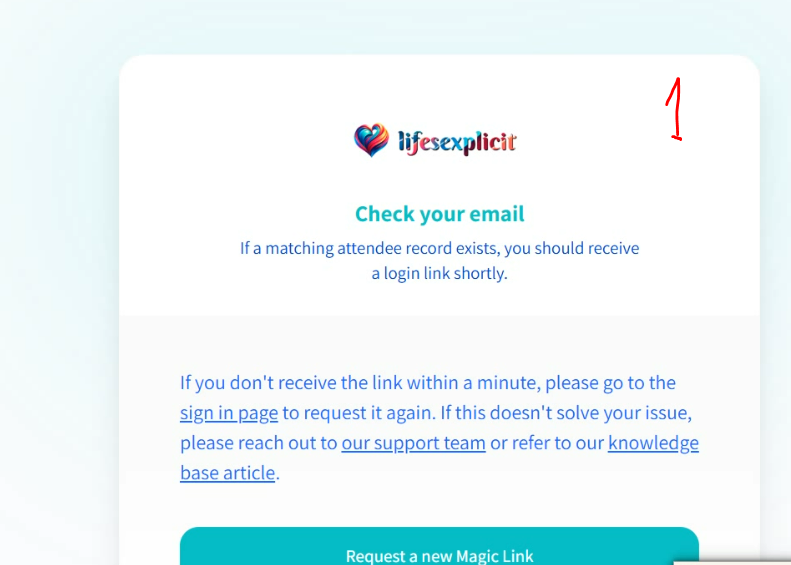
Is it possible to remove the second ‘Sign In’ screen after someone has used the Magic Link to login, so that once they’ve clicked it [the magic link] - they land directly into the event and their Talks Schedule (for Attendees) and Dashboard (for Speakers).
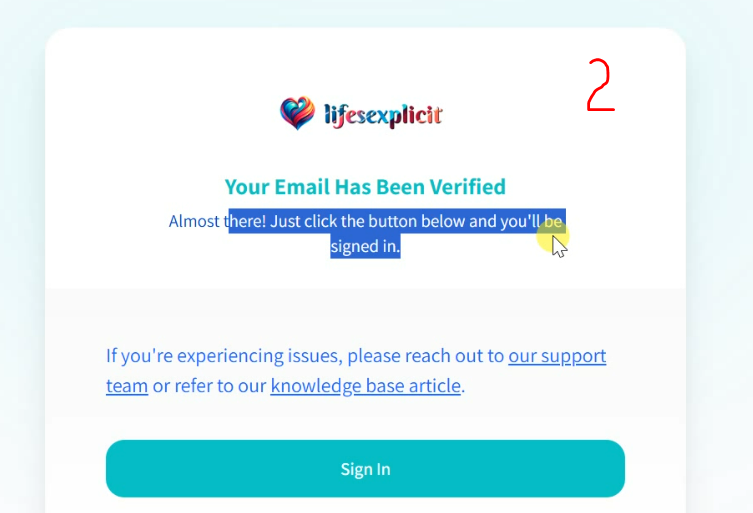
As currently this second screen asking them to yet again Click to Login seems too much for some - because they find themselves faced with a second screen too similar to the first screen - and let’s face it people fail to read and look what’s required next.
Asking because we’ve had people email complaining they can’t login, and it’s literally because they’re not reading the second screen requiring to click Sing In.
Completed
Hi Leah, Thanks so much for sharing your feedback - I completely understand where you’re coming from. Unfortunately, we do need to keep an intermediary page rather than logging attendees in automatically. Some email providers automatically “click” links to verify them, which can cause magic links to be used up and expire before the attendee has a chance to log in. That said, we took some time this afternoon to see how we could improve the experience. The page now has a refreshed layout that looks distinct from the standard login page and includes a 5-second countdown that will automatically log attendees in. Hopefully this strikes a good balance between security and ease of use. I’ve attached a screenshot so you can see how it looks (with your branding applied, of course).