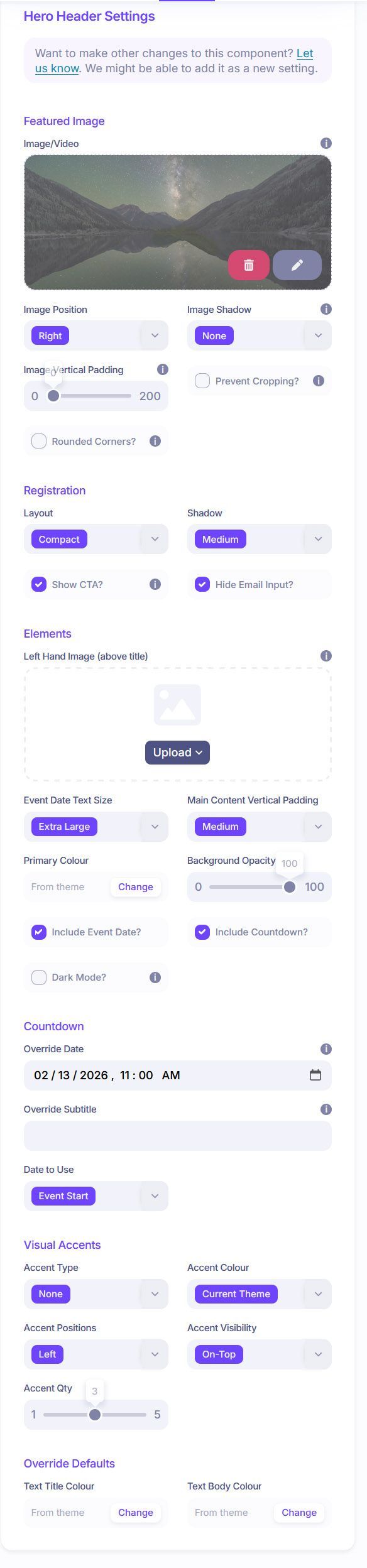
Thank you! It works nicely for the countdown timer, but it doesn’t appear to affect the event dates shown in the hero header. Can you make it affect that too, please?
Did you set the override date in the hero header properties? Just checking you didn’t set them in the countdown timer component, expecting that to also change the date for the countdown in the hero header (which it wont).
The only override date I see in the hero header properties is for the countdown timer. That’s the issue. I can override the date for the countdown timer, but not for the date that’s displayed, which results in a discrepancy in the dates/timer. I tried addressing this by overriding the start date in the event settings, but then our pre-conference talk doesn’t show up on the Schedule page.
Ah sorry, i thought you were referring to the countdown date and not the date at the top. We’re rolling out an update later this morning that will let you optionally now override the text above the event title (giving you the option to change it to a date, a date range, or any other text. Hope this helps.
It would be great if the date override also affects the date shown in the hero header. Again, so that the existence of a pre-con session doesn’t affect the dates shown for marketing the main event.
Good suggestion. Thats now been added. If you edit the hero header now you’ll notice similar options to override the countdown date, if needed.