
Sep 9
Add setting to take manual control the text color of speaker details on dynamic page
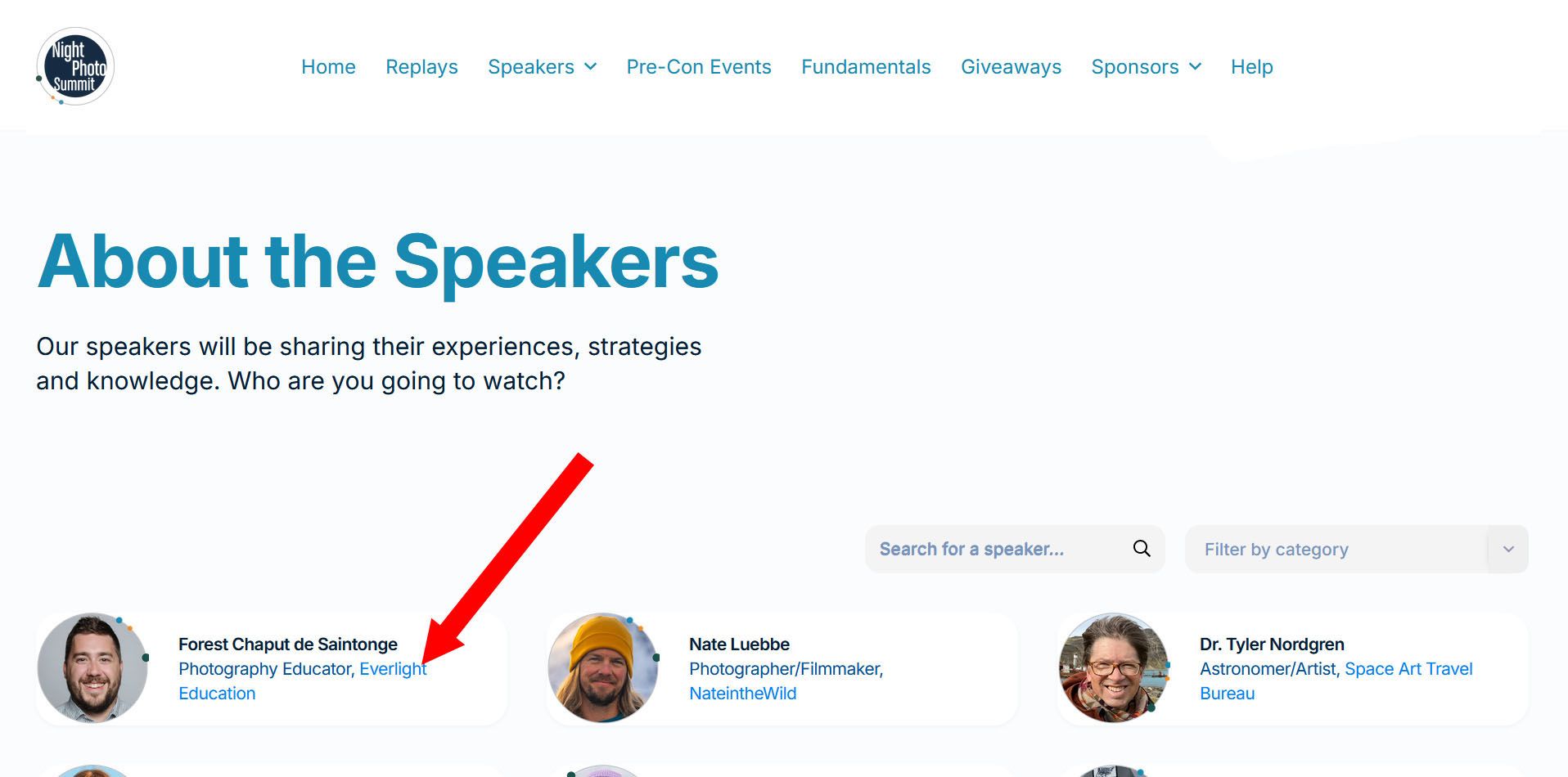
From a recent exchange with Jerica, we understand that “The speaker details, such as the company name and job title, take their color from the Body color settings. ... What you are seeing is a lighter version of that color.”
We find that lighter version of the color to be distracting (in fact, in this case it looks like link text to businesses, and it’s n
ot). We would like to be able to change this text color, but it appears there is no control or setting to do so.
Is that something you could add, please?
Closed
Hi Chris - thanks for reaching out. That text is actually set based on the featured box text colour, not the body colour and so you can override it if needed. To do this head to the theme editor and then Common Components > Featured Box > Text Colour. Typically we recommend setting this to a black or dark grey for best contrast and legibility. I’ll mark this feature request as closed but if you encounter any issues with it please do let the support team know.