June 9th, 2026
Improved
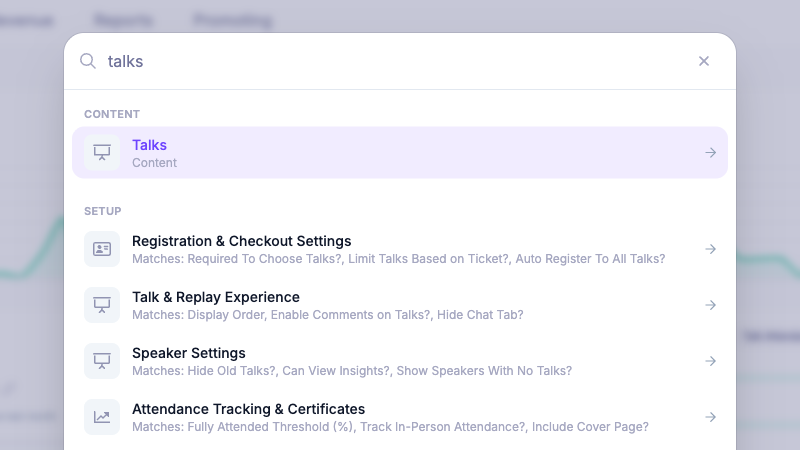
Find dashboard pages, settings, and records faster
We’ve added a new command palette to the event dashboard so you can get to the right place faster.
Open it from the new Search button in the dashboard header, or use Cmd+K / Ctrl+K from anywhere in the dashboard. You can search for core dashboard pages, settings areas, attendees, talks, speakers, sponsors, tickets, coupons, and more.
The search also looks inside settings forms, so if you’re looking for something specific like chat settings, domain settings, GDPR options, or promo banners, HeySummit can now point you to the right settings panel without manually hunting through the dashboard.
Write a comment...