September 4th, 2026
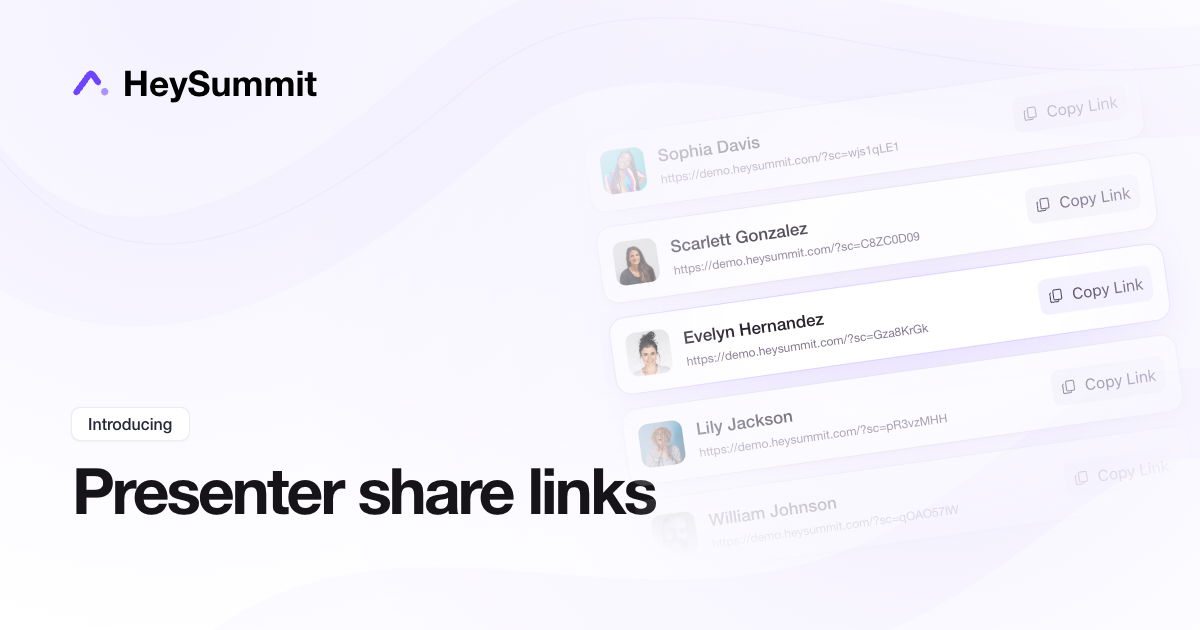
You can now copy every presenter's event promotion link directly from your organiser dashboard, without opening each presenter's dashboard individually.
Go to Content & Schedule → Presenters, open the page's three-dot menu, and choose Copy presenter share links. Find the presenter you need and click Copy Link.
Presenter exports also include a presenter share URL column, so you can collect all the links in one spreadsheet. The links retain presenter attribution and include affiliate tracking for presenters linked to your event's affiliate programme. Presenters can still find their own link in their dashboard.
September 4th, 2026
You can now connect Close.com to HeySummit and automatically send registered attendees to your CRM, ready for your sales team to follow up.
HeySummit syncs attendee names and email addresses, updating an existing contact when the email matches or creating a new lead and contact when needed. You can also map registration answers and event details to Close contact custom fields.
To get started, open Settings → Integrations in your event dashboard, choose Close, and enter your Close API key. This integration is available on plans that include CRM and email integrations.
August 29th, 2026
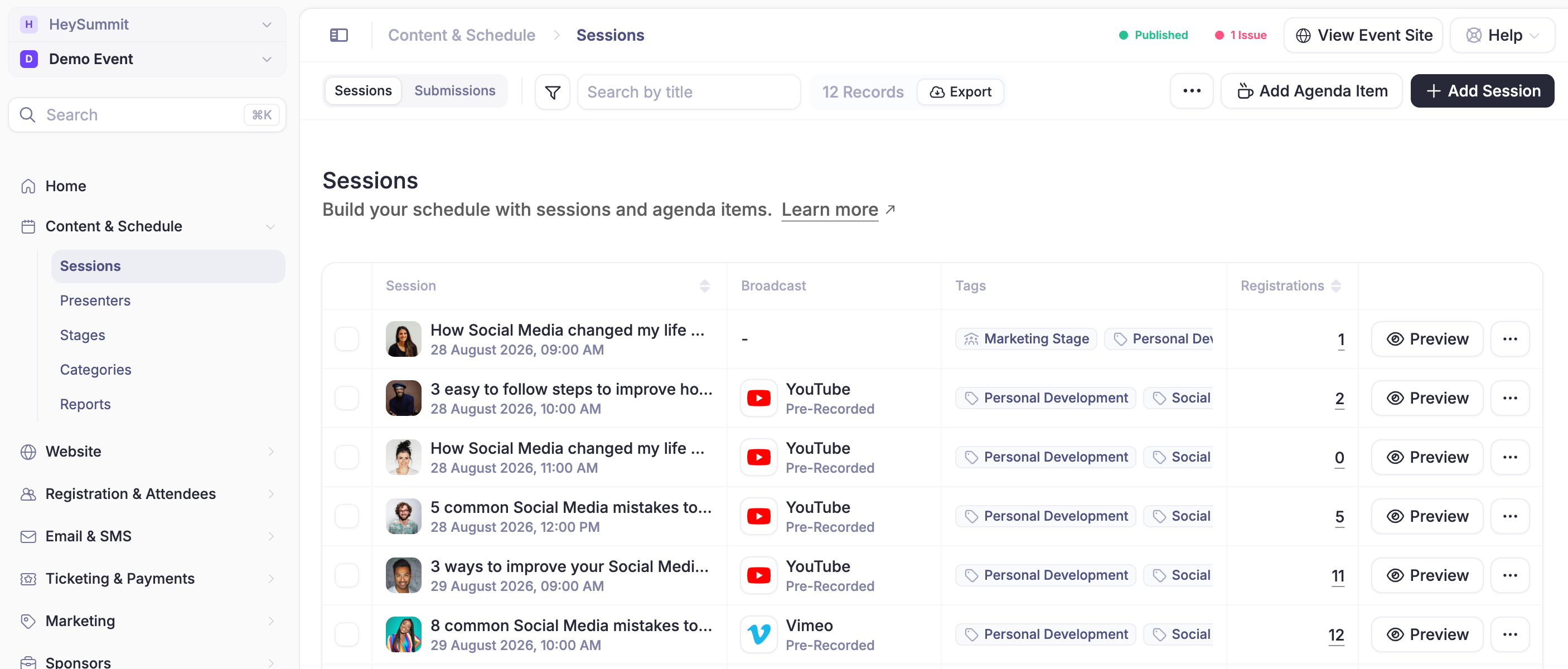
Your HeySummit dashboard has a new look, built to make running your event feel simpler. Navigation is clearer, forms and settings are more consistent, and the actions you use most are easier to find. Less time hunting around means more time focused on your event.
The refreshed experience brings a cleaner, more unified feel to the main event dashboard and the spaces used by your team, speakers, sponsors and affiliates.
This update also lays the groundwork for what comes next. We're developing new tools that fit naturally into this simpler dashboard, including an AI assistant designed to help you turn an event idea into something impactful.
Log in and explore the new dashboard today.
August 17th, 2026
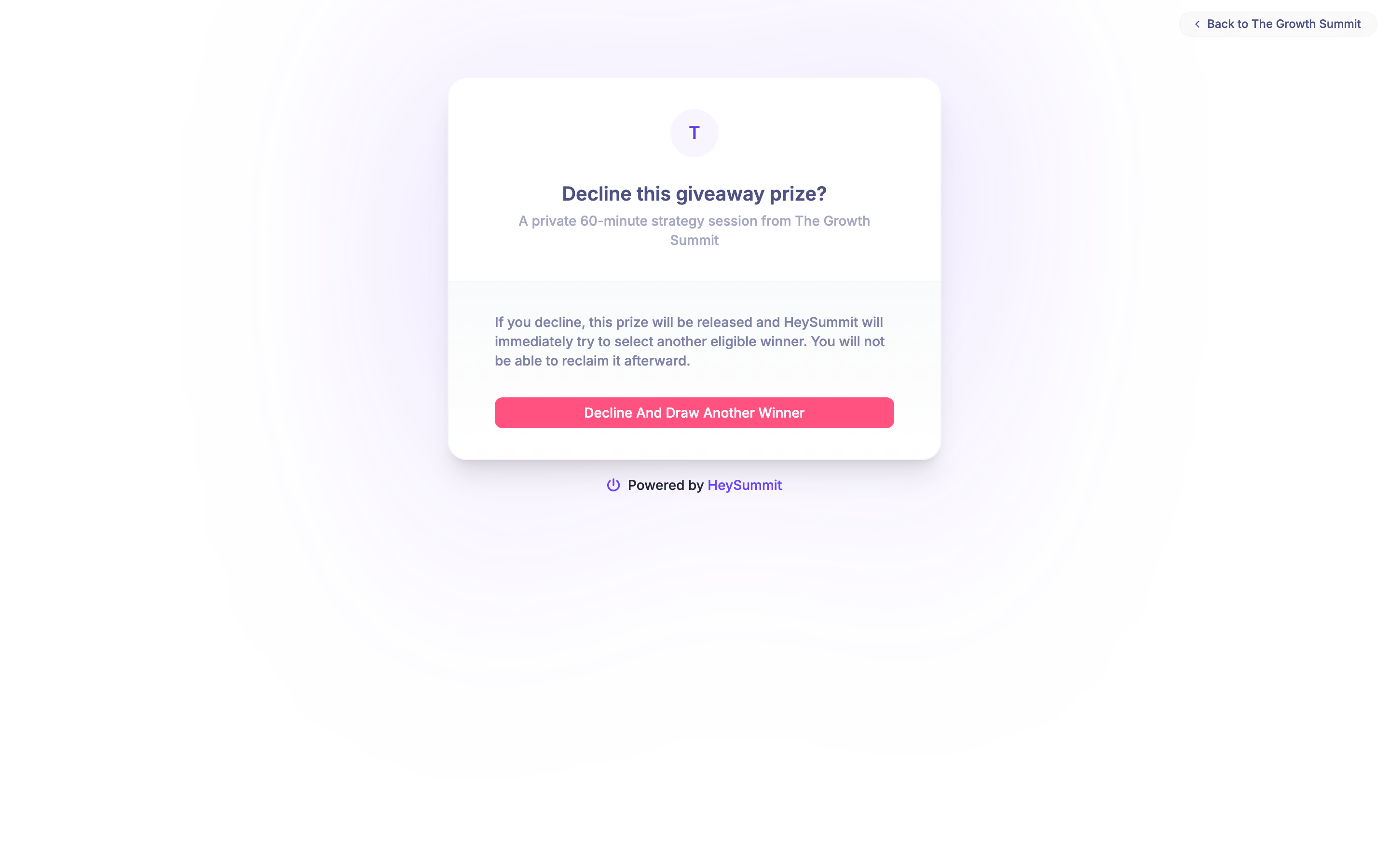
Giveaway winners can now decline a prize directly from their winner email when they do not need it.
After the winner confirms, HeySummit releases the prize and immediately draws another eligible attendee. The replacement winner is notified automatically, so organisers do not need to rerun the giveaway manually.
The giveaway report keeps the full award history, including declined prizes and replacement winners, so organisers can see exactly what happened.
August 12th, 2026
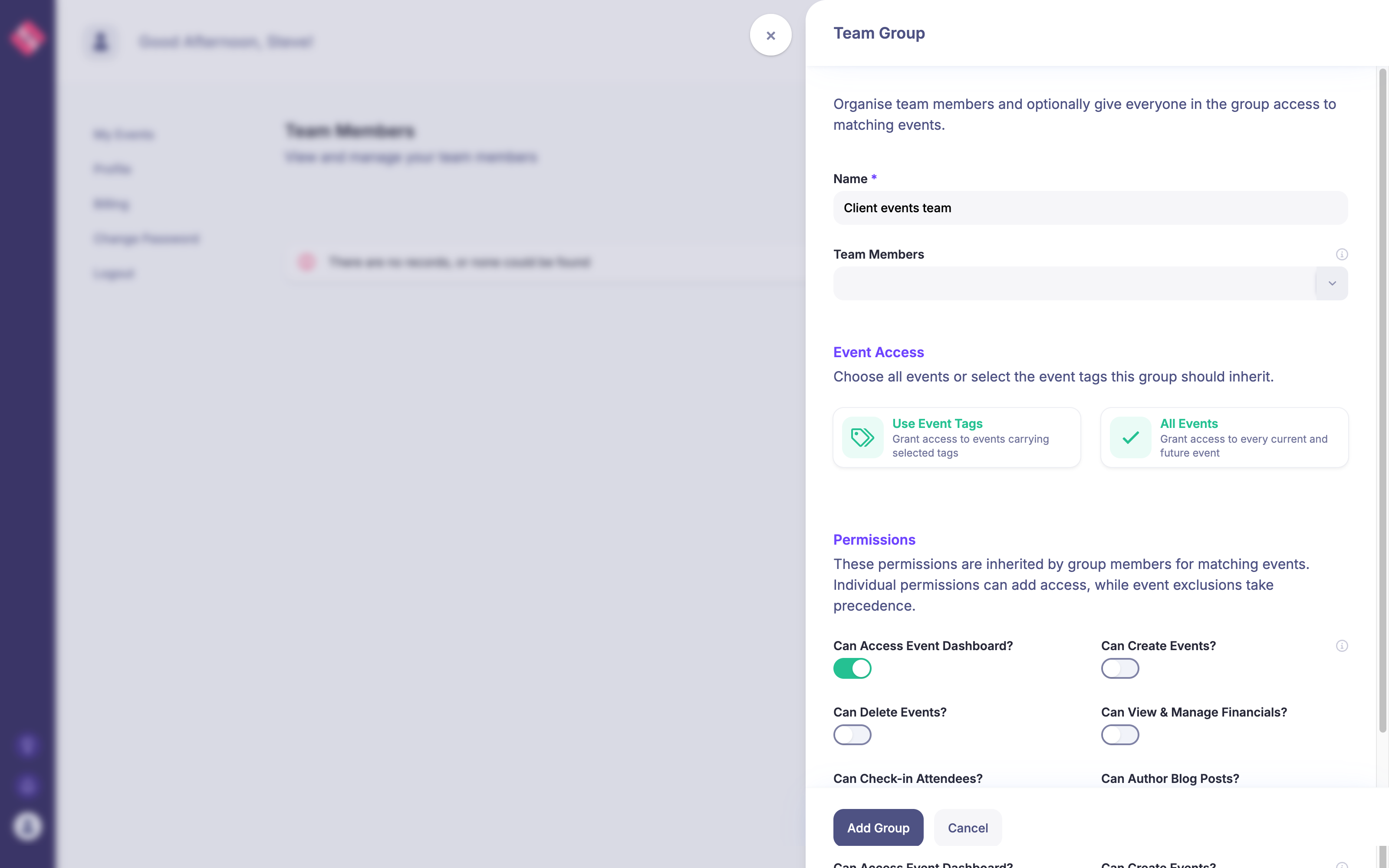
Team Groups can now control event access as well as organise your team. From Team → Manage Groups & Access, give a group access to every event or to events carrying any of your selected tags, then choose the permissions its members should inherit.
When another event is created or given a matching tag, the group receives access automatically. Individual permissions can still add access for a specific person, while event exclusions take precedence when someone should not see a particular event.
This makes it much easier to manage teams responsible for a client, department, brand, or recurring event programme without updating every team member one event at a time.
August 7th, 2026
You can now connect Flodesk to HeySummit and send registered attendees directly to a Flodesk segment.
Go to Event Setup → Integrations, choose Flodesk, connect your account, and select the segment you want to use. You can also map custom registration answers and other attendee details to your Flodesk custom fields.
Once connected, HeySummit keeps attendee details synced with Flodesk, ready for your email campaigns and workflows.
July 28th, 2026

HeySummit can now send a Schedule Updated email when an attendee adds future sessions that were not covered by their original schedule email.
Organisers can preview, edit, publish, or unpublish the message from Emails. It respects each attendee’s conference-information consent; existing events receive the template unpublished, while new events have it enabled by default.
The notification covers sessions added through attendee self-service, direct talk registration, the HeySummit API, or MCP.
July 26th, 2026
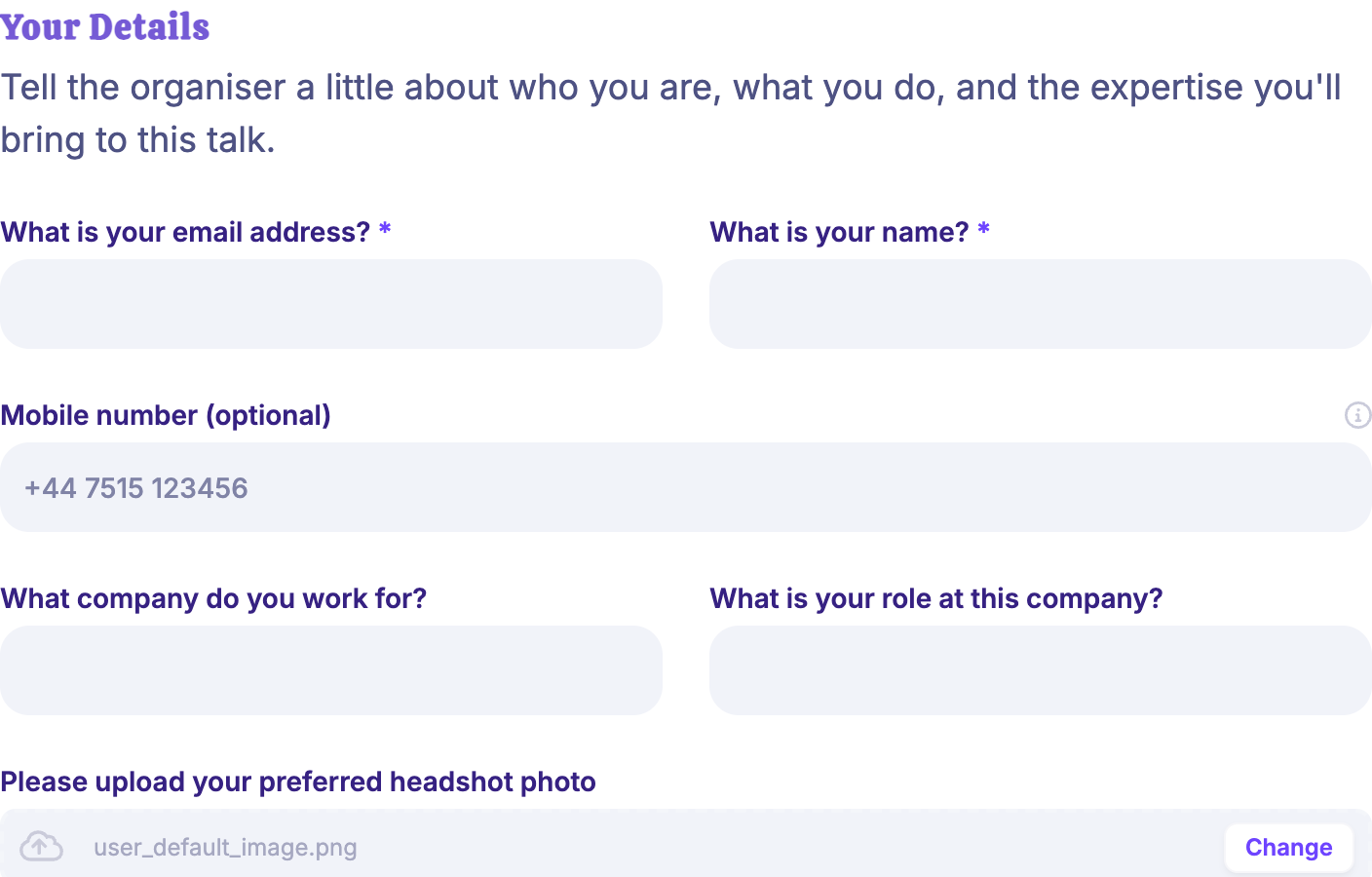
Talk submitters can now add an optional mobile number alongside their contact details.
The number is available to event organisers while reviewing submissions and remains available in the speaker’s organiser-only details after approval.
It is kept separate from the public phone number and is never shown on public event pages.
July 21st, 2026
ZenStream is now available as a built-in live stream source in HeySummit.
When setting up a live broadcast for a talk or stage, choose ZenStream and paste either your ZenStream player URL or stream ID. HeySummit will display the stream directly on the broadcast page, without requiring custom embed code.
This lets you use ZenStream for video delivery while keeping the rest of your event experience, including HeySummit chat, Q&A, and polls, in one place.
July 21st, 2026
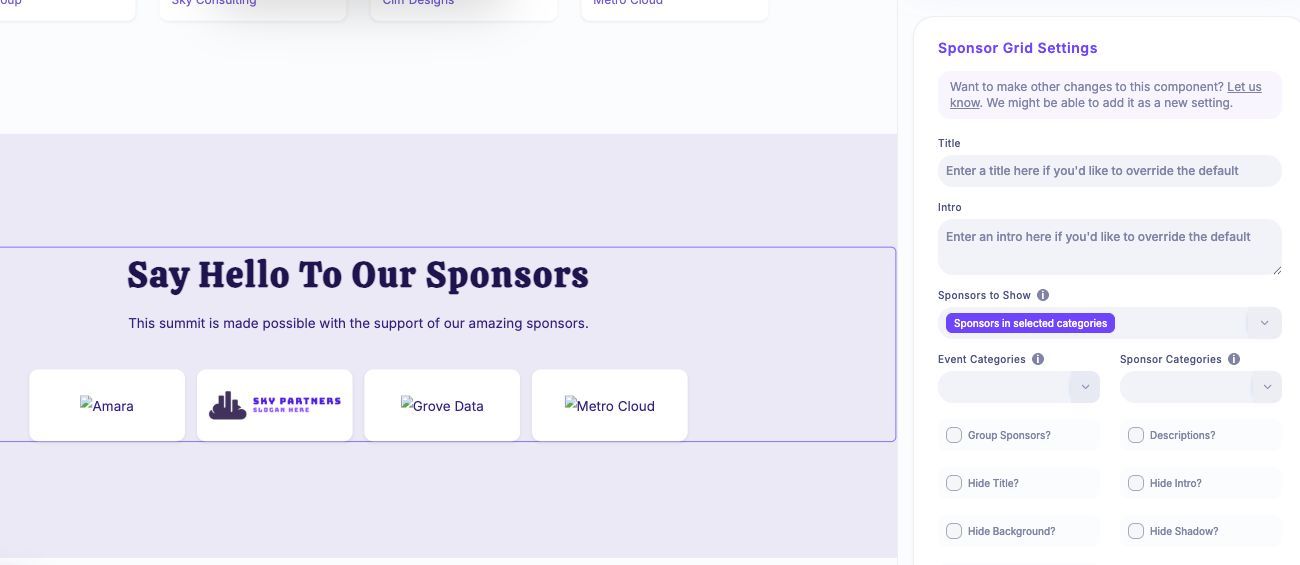
Sponsor Grid blocks in Page Builder can now be limited to specific event categories or custom sponsor categories.
In a Sponsor Grid’s settings, choose “Sponsors in selected categories”, then select one or more Event Categories or Sponsor Categories. Sponsors matching any selected category will appear, while the existing exclusion controls can still hide broader sponsor types.
Existing Sponsor Grid blocks continue showing all eligible sponsors until you choose category filtering.