October 10th, 2025
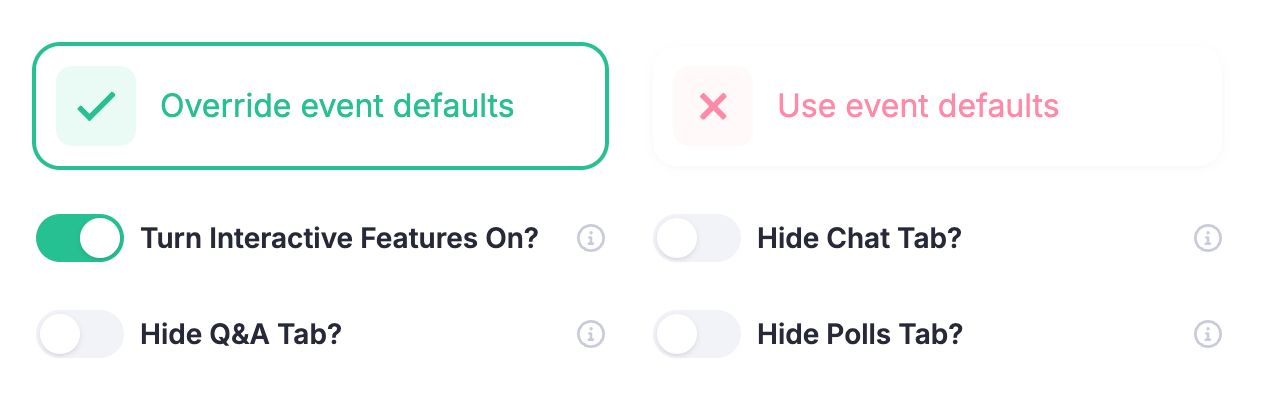
Greater Control with Talk-Level Interactive Settings
Managing interactivity during live broadcasts just got a lot more flexible. Previously, you could customise chat, Q&A, and polling at the event level - either turning them all off or selectively hiding individual components. But when it came to individual talks within your event, your only option was to disable chat entirely, limiting fine-tuned control.
Now, with full feature parity between event and talk levels, you can manage interactive components exactly how you want for each session. Whether you’re hosting a fully interactive keynote or a quiet, presentation-only breakout, the choice is yours.
What’s New
Full talk-level control: Enable or disable chat, Q&A, and polling for individual talks, independently of event-level settings.
Consistent experience: Event-level configurations still apply, but you can now override them on a per-talk basis when needed.
Simple setup: Go to Content > Talks > Advanced Settings to customise your interactive components for each talk.
This update gives you more flexibility to tailor engagement to the unique needs of every session, ensuring the right level of audience interaction across your event.