November 22nd, 2023
Easy Bulk Ticket Allocation and Transfer
We've introduced a new feature to streamline the process of allocating and transferring bulk ticket purchases.
What's New:
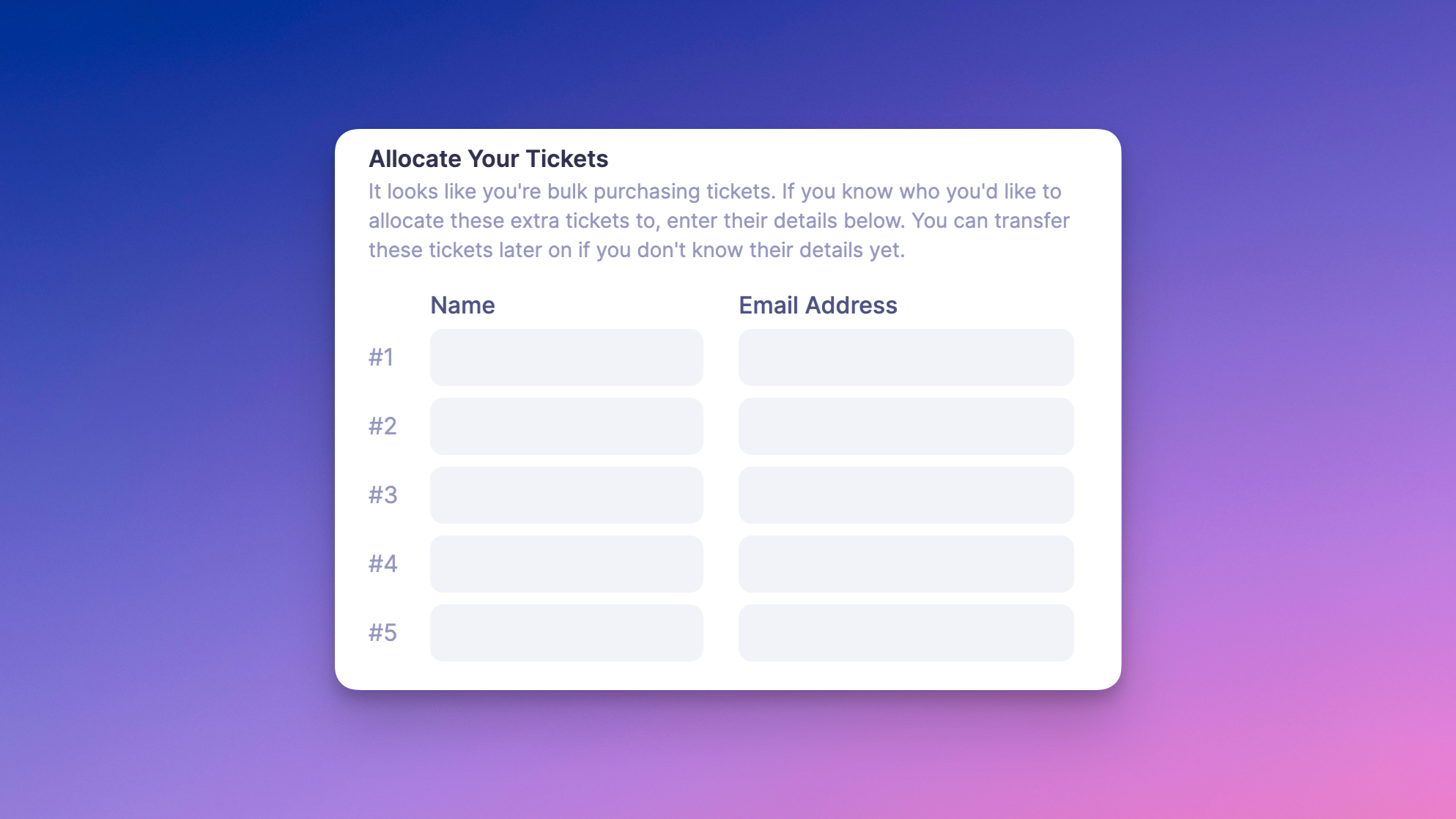
- Bulk Purchase Allocation During Registration: If a bulk purchase is detected during registration, an optional form will prompt the purchaser to assign tickets to other attendees by entering their names and email addresses. This step can be skipped if the details aren't available yet.
- Transfer from 'My Purchases': Attendees can now transfer any of their ticket purchases to another person via their 'My Purchases' area. Note that each ticket can only be transferred once, and the recipient cannot re-transfer it.
- Organizer-Initiated Transfers: Event organizers can manually transfer tickets on behalf of attendees. This is done through the 'Reports > Attendees' list, where you can manage tickets and initiate transfers.
In all scenarios, when a ticket is transferred, the new attendee will receive an email notification about the transfer.
This feature is designed to make bulk ticket handling more efficient and user-friendly, both for attendees and event organizers.
Write a comment...